One question I kept running into with Lumen Tool was surprisingly simple: who is this actually for?
The obvious answer is anyone who works with light. That still covers a pretty wide group. There are photographers and videographers using it, but also people who draw, sketch or paint.
In the very limited anonymous statistics I keep, I can also see that Lumen Tool is being used in educational environments, including traffic through Google Classroom. I really like seeing that, because it means people are finding uses for the tool that go beyond the way I originally built it.
It did create a small problem though.
Now that Lumen Tool is paid, I occasionally have to do the thing I probably enjoy least: talk about what it is for and where the different studios fit.
And while looking at the original Lighting Simulator, I realised I was trying to serve different types of users inside the same interface.
Studio 1 and Studio 2
So I split it.
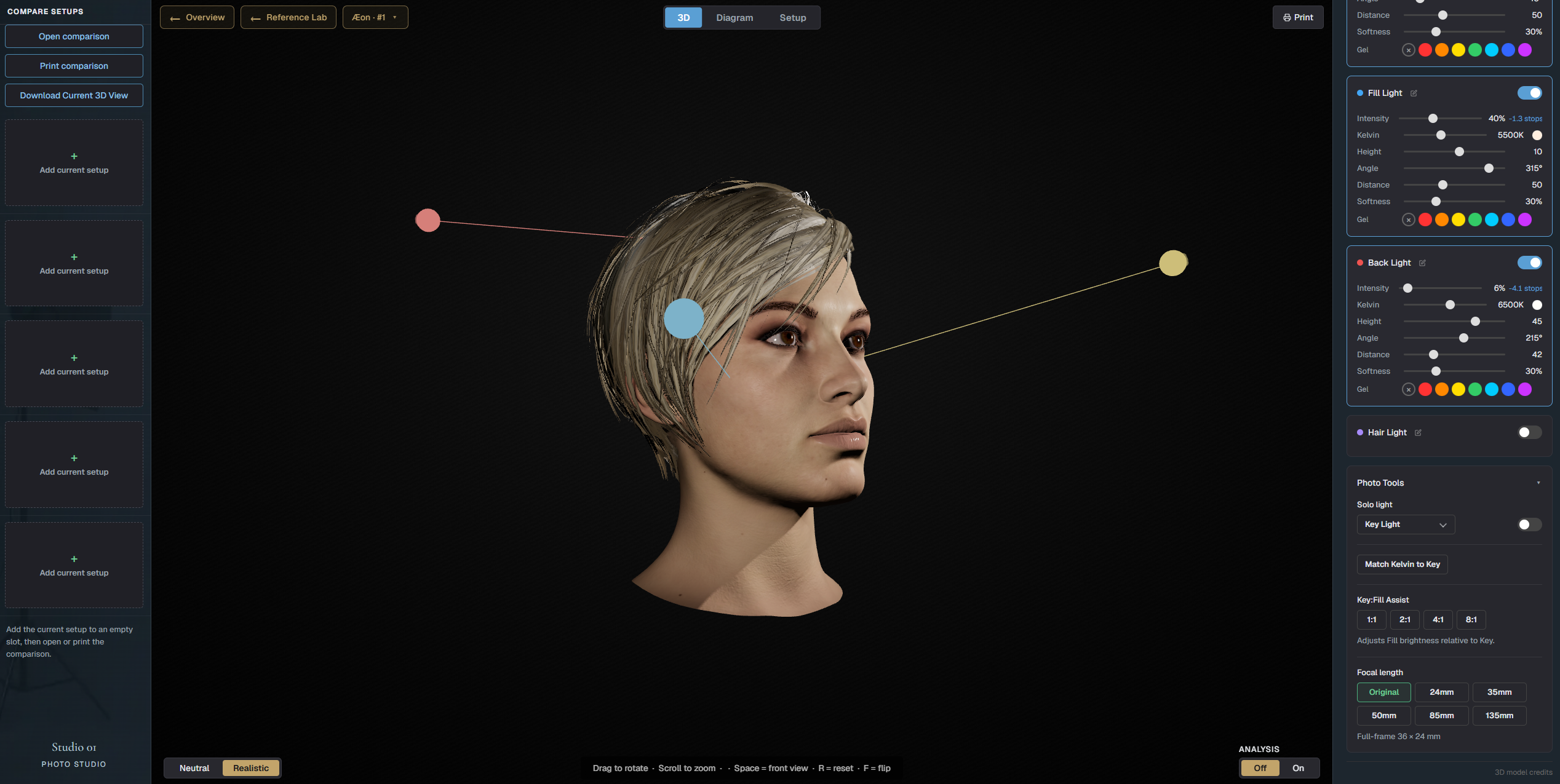
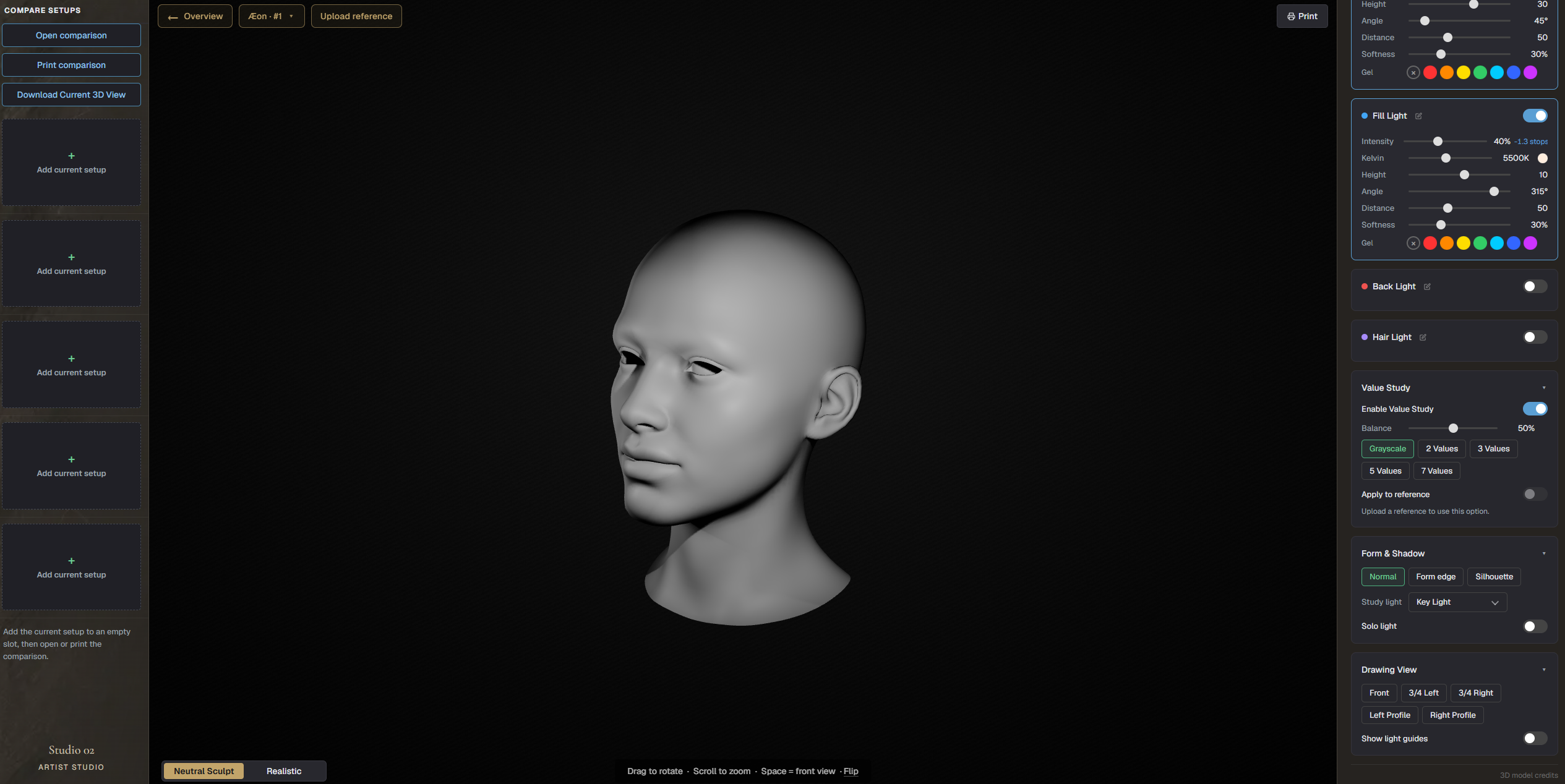
The original Lighting Simulator now has two focused versions inside Lumen Tool: Studio 1: Photo Studio and Studio 2: Artist Studio.
The main lighting experience remains very similar. The difference is in the extra tools around it.
- Studio 1: Photo Studio is aimed at photographers and videographers. It now has Photo Tools including Solo Light, Match Kelvin to Key, Key:Fill Assist and focal length views from 24mm up to 135mm.
- Studio 2: Artist Studio has tools made more specifically for drawing and painting. There is a Value Study with grayscale and different value steps, Form & Shadow views, Drawing View with fixed angles and light guides. You can also upload a reference and apply the Value Study to that image.
This makes the interface a lot calmer.
A photographer no longer has to look past drawing tools they will probably never touch. Someone studying light for drawing does not need camera-specific controls taking up space either.
It is a relatively small change from a technical point of view, but I think it makes Lumen Tool much easier to understand when you open it for the first time.
Both studios are live now.
And then there is Studio 5
At the same time, I have been working on something quite a bit bigger.
A few days ago I wrote about set.a.light 3D and compared it with Lumen Tool. set.a.light 3D is a fantastic piece of software and goes much further into complete virtual studio building than Lumen Tool currently does.
While writing that article, one idea kept sticking in my head.
Could I get a small part of that type of workflow running directly inside a browser?
So that is what I am trying to build in Studio 5.
The idea is an actual 3D room that runs in real time. You can place a model inside it and move lights around the room. I also want proper studio equipment in there, including softboxes and other modifiers. Furniture and additional objects can become part of the scene as well.
Basically, I want you to be able to build a small studio setup and immediately see what the light is doing inside that space.
And yes, getting that to run properly in a browser is quite a lot of work.
I still want Lumen Tool to follow the same basic idea it has had from the beginning: open the website and start working. No installation and no huge software package sitting on your computer.
I am being careful with promises around Studio 5 because I am literally building it right now. Some ideas will work, others will probably change once I start pushing them further.
I also have no illusion that I am going to recreate set.a.light 3D. That software has been developed for years and has a much broader scope.
What I think I can make is a smaller browser-based virtual studio that opens quickly and fits naturally inside Lumen Tool.
If everything keeps moving in the direction it is going now, Studio 5 will probably be the next new module.
I’ll share more once I know exactly what survived the building process.